
TecresTrackIT

Asset management software by Tecres Technologies

Manage every asset.
Track every move.

Manage and track everything your organization owns, in one secure workspace with your own branding.

tecrestrackit.com
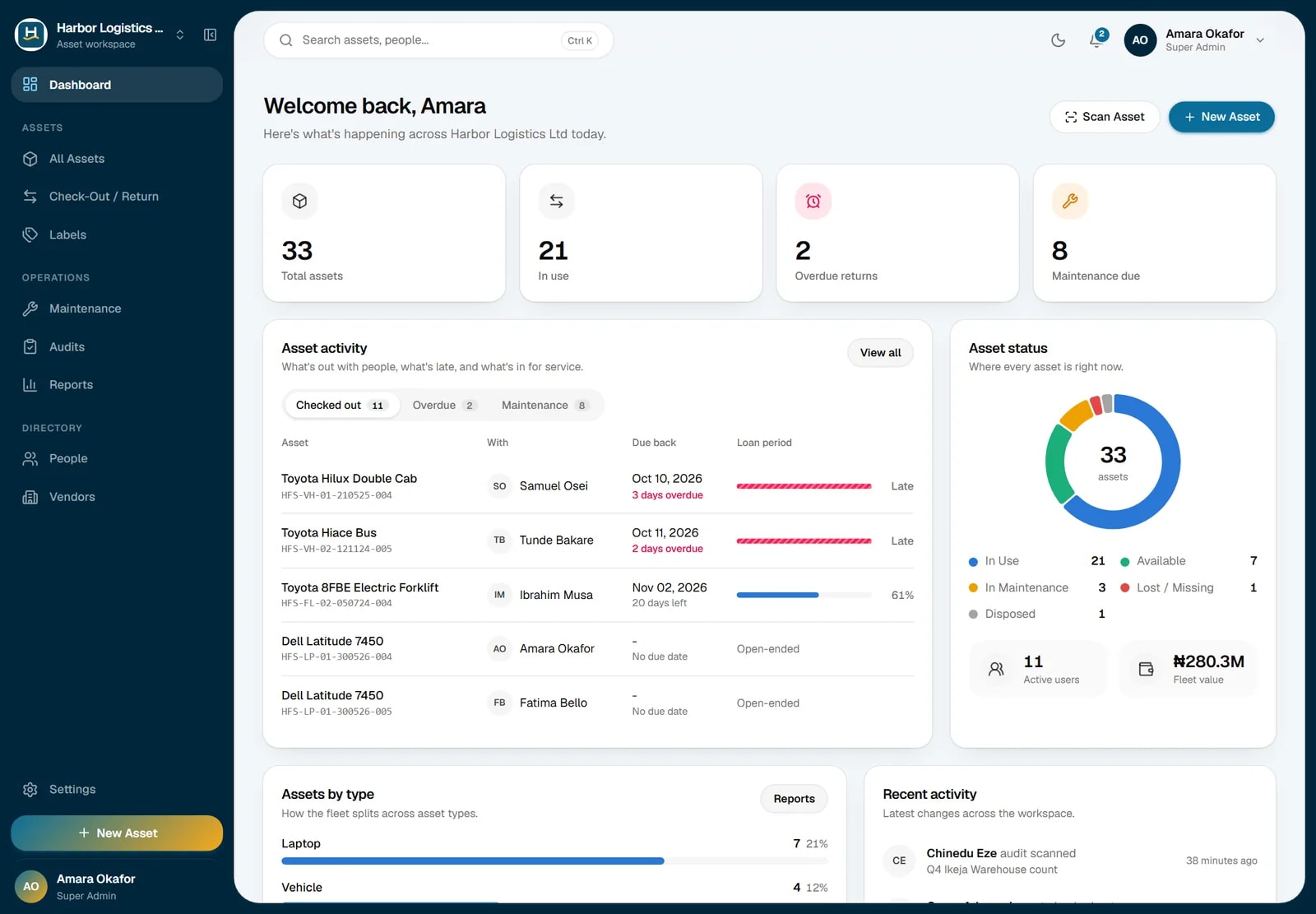
TecresTrackIT dashboard showing total assets, check-outs, overdue returns and asset status
0+

Years managing records and assets for Nigerian organizations

0+

Institutions served by Tecres

0%

Of TrackIT accounts protected by two-factor sign-in

0

Regional offices: Lagos, Abuja, Port Harcourt, Kano

Tecres clients include

Zenith BankKPMGPwCNigerian Ports AuthorityShell (SPDC)Bank of IndustryEgbin PowerTetra Pak West AfricaCordros CapitalIOM NigeriaLagos Water Corporation
Manage and track

One system for the register and the reality on the ground

TrackIT keeps each asset's financial record and its physical location together, so your books and your floor never disagree.

An operations team reviewing their asset register on laptops
Manage

Keep a complete, valued register

One record per asset from purchase to disposal, with the financial and service details your finance and operations teams rely on.

  • IT equipment, vehicles, machinery and furniture in one register
  • Purchase price, current value and salvage value, visible only to permitted roles
  • Preventive and corrective maintenance, linked to vendors and warranties
  • Reports exported to Excel, CSV or PDF
A field engineer inspecting tagged stock in a warehouse
Track

Know where each asset is and who has it

Every asset carries a structured tag and a printed barcode or QR label, so its location, custodian and condition stay accurate.

  • Location, department and branch recorded for every item
  • Check-out to named staff with due dates and PDF receipts
  • Scan labels with the camera on any phone or laptop
  • Physical audits that flag missing and misplaced items
How it works

Watch TrackIT in use

Follow one asset from the day it is delivered to the day it is audited.

Coming soon

The TrackIT walkthrough video

In the meantime, our team can show you the application live.

Book a live demo

Covers: registering an asset, generating its tag, printing labels, checking it out, running an audit, exporting a report.

Features

Everything your asset team does, in one place

Each feature maps to a step your staff already carry out: tagging, handing over, servicing, counting and reporting.

HFSSubsidiary
-
LPAsset type
-
01Branch
-
290526Purchase date
-
006Running no.

Tag preview

Structured asset tags

Choose the subsidiary, branch, asset type and purchase date, and TrackIT generates the tag. It is locked once saved so printed labels stay correct; any correction is logged.

Harbor Logistics

HFS-LP-01-290526-006

Barcode and QR labels

Set your label paper size once, then print sheets as PDF with a barcode, a QR code or both.

Toyota Hilux3 days overdue
Dell Latitude 745020 days left
Forklift 8FBENo due date

Check-out and return

Assign assets to staff with a due date. Overdue items appear on the dashboard, and every hand-over has a PDF receipt.

0Expected
0Matched
0Missing

Verified physical audits

Staff scan every label on the floor, then a second person verifies the count. Nobody can approve their own audit.

Generator GX-400Available
Scheduled
Started
Completed

Maintenance with automatic status

Starting a job marks the asset as in maintenance; completing it makes the asset available again.

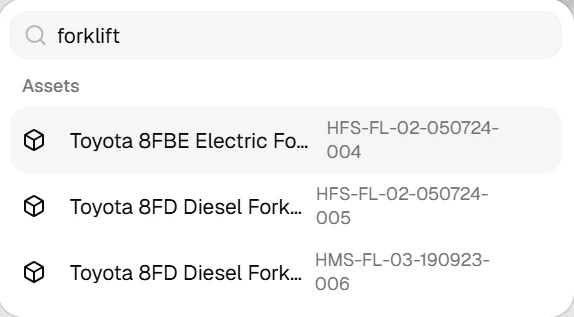
TrackIT quick search showing forklift results with their asset tags

Quick search

Press Ctrl K anywhere to find an asset by name, tag or serial number, or a colleague by name.

TrackIT reports showing total purchase value of 391.3 million naira and current value of 280.1 million naira

Valuation reports

See purchase value, current value and depreciation across the register, filtered as you need and exported to Excel, CSV or PDF.

Product tour

A look inside the application

These screens are from the live application, set up for a sample company called Harbor Logistics. Your workspace shows your own logo and colors.

The whole estate at a glance

Totals, what's in use, what's overdue and what's in for service, with each loan's progress and a live activity feed.

tecrestrackit.com
TecresTrackIT Dashboard screen
Asset lifecycle

One record from delivery to disposal

Each step is added to the asset's history, so you can always see who had it, what was done to it and whether it was found at the last count.

  1. 1

    Register

    Record specifications, vendor, warranty and value.

  2. 2

    Tag and label

    Generate the tag and print its label.

  3. 3

    Assign

    Check it out to a member of staff with a due date.

  4. 4

    Maintain

    Schedule servicing; the status updates automatically.

  5. 5

    Audit

    Scan it during a count, verified by a second person.

  6. 6

    Report

    Include it in valuation and register reports.

Your branding

Your organization's logo and colors throughout

Upload your logo and TrackIT suggests matching colors, which you can adjust with a live preview. Your branding then appears on the sign-in page, every screen, system emails and printed asset labels.

Preview with a sample organization:

Welcome back, Amara

Here's what's happening at Harbor Logistics today.

33

Total assets

21

In use

2

Overdue

8

Maintenance

Assets by type

Asset label

Harbor Logistics

HL-LP-01-290526-006

Print labels
Security

How TrackIT protects your organization's data

An asset register shows what your organization owns, what it is worth and who holds it. This is how we keep that information safe, explained in plain terms.

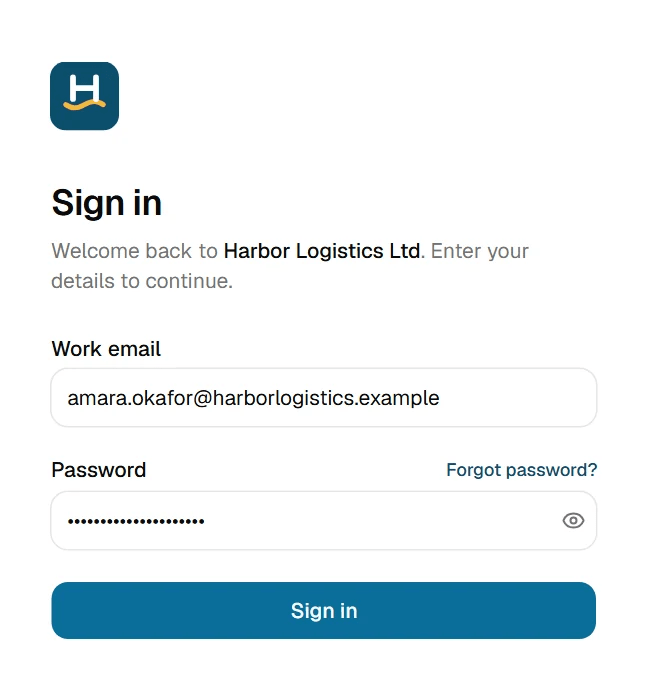
Signing in takes a password and a code from your phone

Two-factor sign-in is required for every account and cannot be switched off. A stolen password on its own gets nobody in.

TrackIT sign-in form with work email and password
1

Enter your work email and password

Your organization's logo appears once your email is recognised, so staff know they are on the right page.

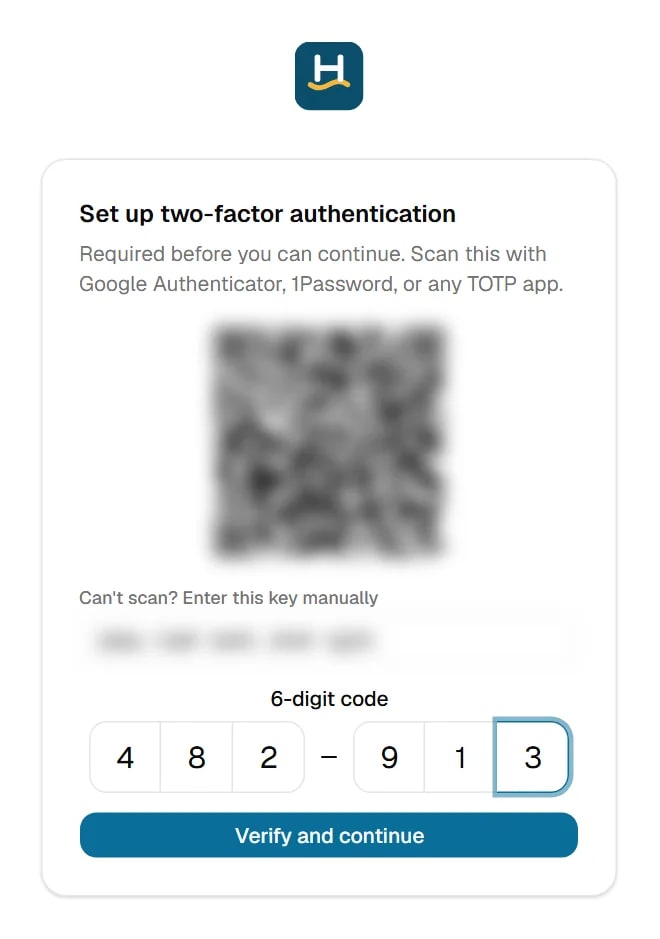
TrackIT two-factor setup screen with a QR code to scan using Google Authenticator

Authenticator

TecresTrackIT: Harbor Logistics

482 913

Other account

••• •••

2

First time only: scan the QR code

Open Google Authenticator, Microsoft Authenticator or 1Password on your phone and scan the code. This links your phone to your account.

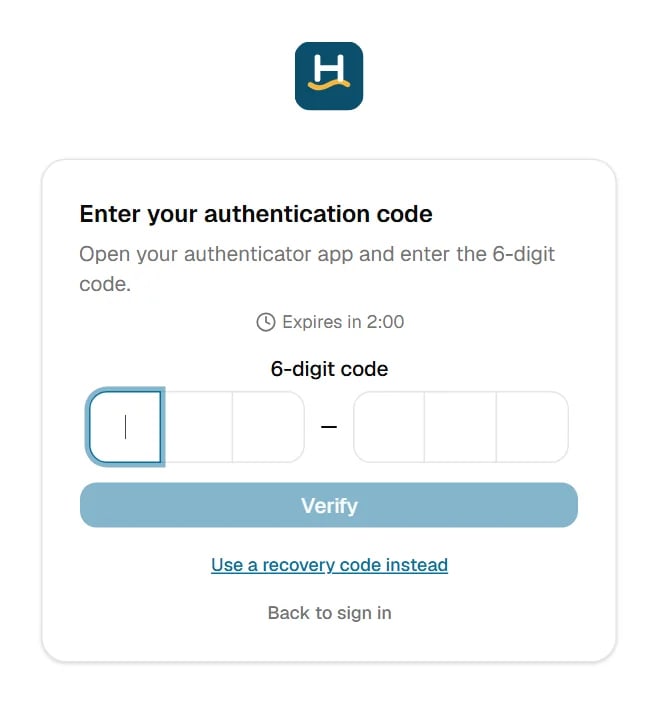
TrackIT screen asking for the 6-digit authentication code
3

Type the 6-digit code from the app

The app shows a new code every 30 seconds. Each code works once, and the sign-in step expires after a few minutes.

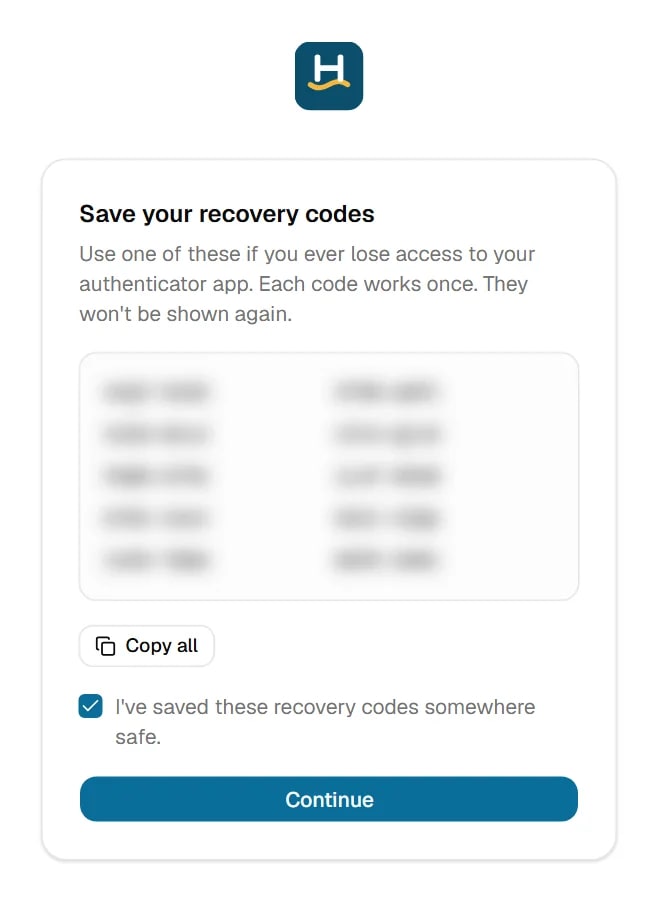
TrackIT recovery codes screen

Lost your phone? When two-factor is set up, each person receives 10 single-use recovery codes to keep somewhere safe. Any one of them can be used in place of the phone code, once.

What happens to every request

Each time someone opens a page or saves a change, the request passes through the checkpoints below, in order. They work independently, so if one were ever bypassed the others would still stop it.

Your team's device

Browser or phone

Signed-in session

A short-lived pass held in memory, never saved to disk. It expires after 15 minutes and renews quietly in the background.

Blocks: Old or stolen sessions

On the way in

Internet

1

Encrypted connection

HTTPS only, enforced by the browser. Only approved websites can talk to TrackIT.

Blocks: Eavesdropping and look-alike sites

2

Gatekeeper

Limits on attempts per address and per account, request size limits and browser security headers.

Blocks: Password guessing and flooding

Inside TrackIT

Application server

3

Who is this?

Checks the signed pass, which is only issued after the password and the authenticator code.

Blocks: Forged or expired passes

4

Which organization?

Taken from the signed pass, never from the request. Suspended organizations are refused.

Blocks: Reaching another company's workspace

5

Is this allowed?

The user's role is checked on the server for every action, not just hidden on screen.

Blocks: Staff performing admin-only actions

6

Is the request valid?

Every field is checked against a strict format; anything unexpected is dropped.

Blocks: Injection and tampered requests

Your data

Database

7

Your records only

Every database query, including file downloads, is tied to your organization.

Blocks: Data leaking between companies

8

Encrypted at rest

Passwords hashed with argon2id; authenticator secrets encrypted with AES-256-GCM.

Blocks: Readable data from a stolen copy

9

Monitoring across every step

Every change is written to your organization's activity log. Sign-ins are recorded with IP addresses, spikes in failed sign-ins raise an alert, and Tecres can suspend an account or force a password reset immediately.

Blocks: Attacks going unnoticed

What this means for your organization

  • Two-factor sign-in is required for every account, with no option to turn it off.
  • Each organization's data is completely separate from every other organization's.
  • Staff can only see and do what their role allows, checked on the server.
  • Purchase prices and asset values are only sent to roles allowed to see them.
  • The person who counts an audit can never be the person who approves it.
  • Only invited staff can join. Tecres sets up each organization directly.

Penetration tested

TrackIT has been tested with automated attack scenarios and live tests against a running server, following OWASP methodology. Attempts to read another organization's data, forge a session, skip two-factor sign-in, raise a user's role or inject SQL were all blocked.

The full Security Architecture and Assurance Report is available to customers under a non-disclosure agreement.

Request the security report
Industries

Built for organizations with many assets, people and locations

TrackIT suits any organization that needs an accurate, auditable record of what it owns and where it is.

Two warehouse staff reviewing an inventory checklist between shelves

Logistics and warehousing

Forklifts, racking, handheld scanners, pallets

An engineer in a hard hat and high-visibility jacket

Energy, oil and gas

Generators, pumps, tools, safety equipment

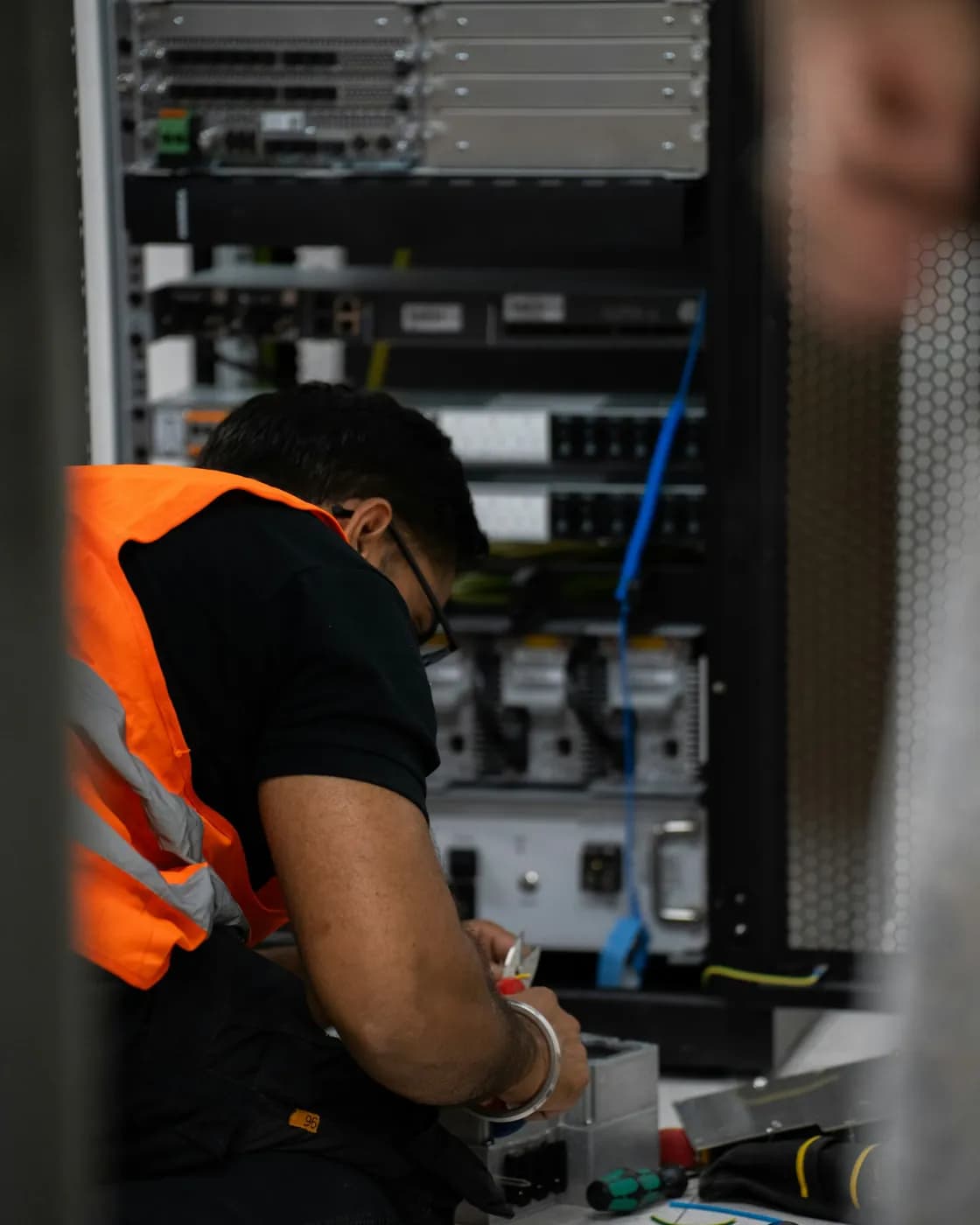
A technician working on server equipment

IT and data centres

Laptops, servers, network equipment

A corporate team meeting around a boardroom table with laptops

Banking and corporate offices

Branch equipment, furniture, devices

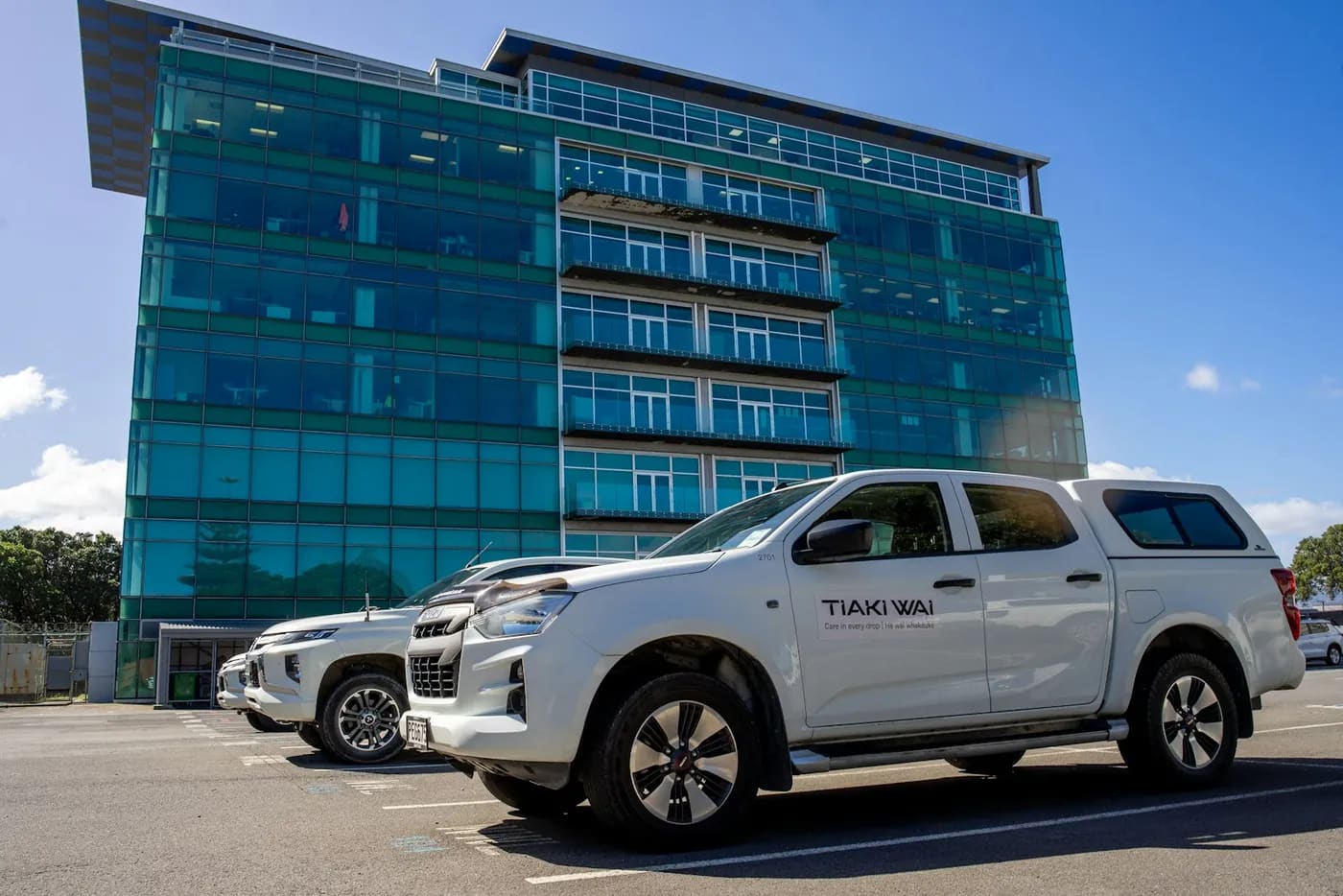
A company pickup truck parked in front of an office building

Fleet and transport

Pool cars, trucks, buses, plant

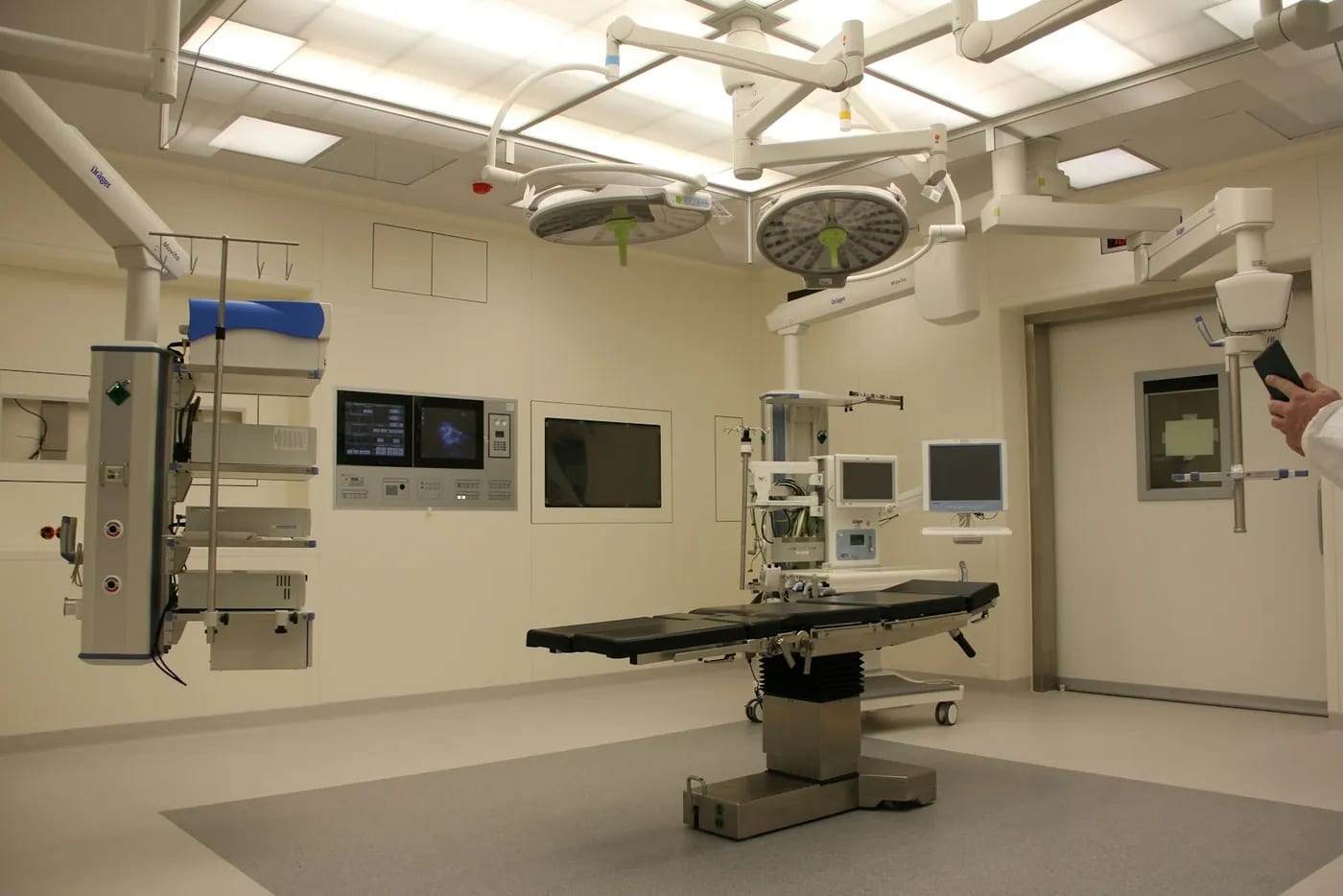
A hospital operating theatre fitted with medical equipment

Healthcare

Medical devices, theatre equipment, beds

A team planning their rollout around a meeting table
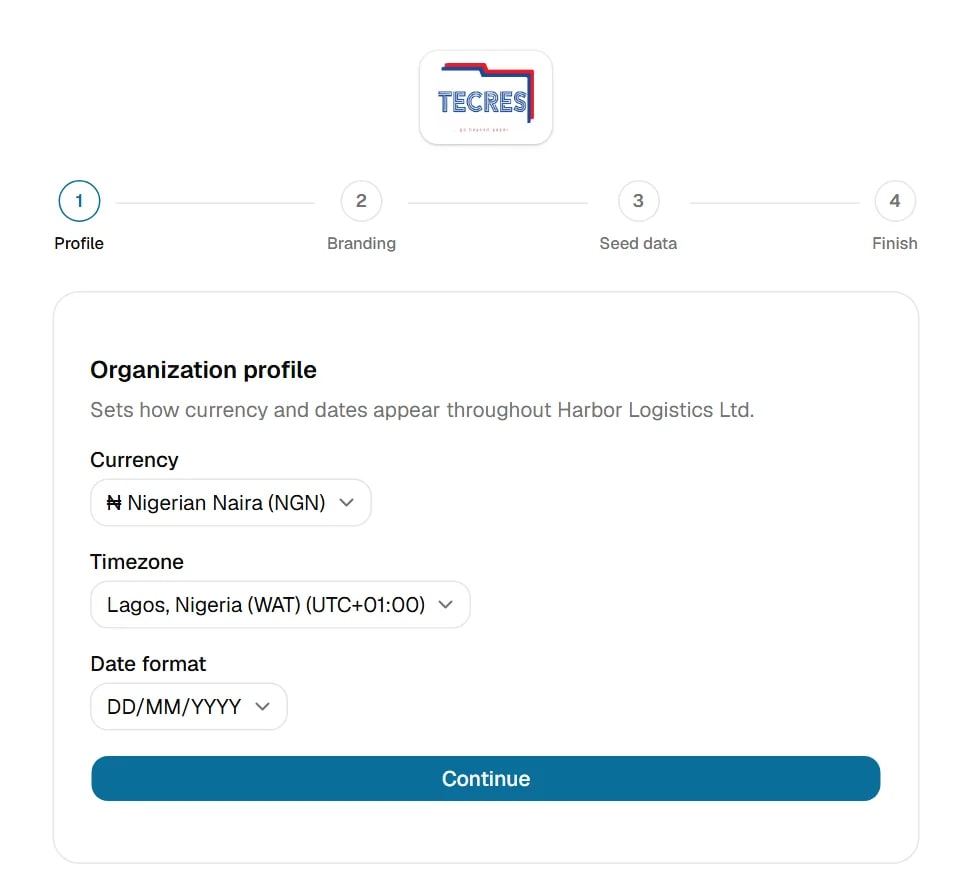
TrackIT workspace setup wizard, profile step
Getting started

From first call to a tagged, live register

Tecres has organized records and tagged assets for Nigerian institutions for over a decade, and we stay involved through your rollout.

01

Book a demo

We walk you through the application and discuss your assets, sites and how you tag items today.

02

We set up your workspace

Tecres creates your organization and its first administrator. There is no public sign-up, so only contracted organizations are on the platform.

03

Add your details

A short setup wizard covers your company profile, logo and colors, then locations, departments, asset types and branches.

04

Tag your assets and invite staff

Print labels yourself, or have the Tecres field team tag your assets on site. Then invite your colleagues.

FAQ

Frequently asked questions

If your question isn't covered here, email us at enquiries@tecres.com.ng.

Organizations that need to both manage and track what they own: companies, banks, public agencies, hospitals, schools and NGOs with assets spread across people, departments and locations. If you need to know an asset's value and its whereabouts, it's for you.

Book a demo

See TrackIT with your own assets in mind

A 30-minute online walkthrough with the Tecres team. Tell us a little about your organization and we will tailor it to you.

Request a demo

Pressing the button opens your email app with your request addressed to enquiries@tecres.com.ng. Just press send.

For a faster response, call or WhatsApp us

We only use these details to arrange your demo.

Aerial view of Lagos

Headquartered in Lagos

Call or WhatsApp(+234) 01 342 7176Office(+234) 802 061 9478Sales, WhatsApp(+234) 813 966 9536Support, WhatsApp
Head office7 Canal Close, Off Olayinka StreetShadia Estate, Soluyi GbagadaLagos, NigeriaOpen in Google Maps
Lagos (Head office)AbujaPort HarcourtKano